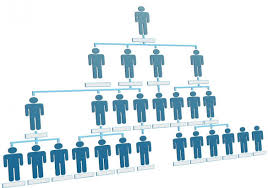
As part of my journey into Automation QA with Python, I embarked on a challenging yet rewarding project: creating an Organization Management System. This system simulates an organization structure with various types of employees such as Managers, Developers, and Designers, each having their own roles and responsibilities. The core feature of the system is the calculation of employee salaries based on their role, experience, and for Designers, an efficiency coefficient that affects their salary.
Project Overview
The organization management system is designed to:
- Calculate Salaries: The system calculates employee salaries based on their role and years of experience.
- Employees with experience greater than 5 years receive a 20% salary increase and an additional 500.
- Employees with 2 to 5 years of experience receive a 200 increase.
-
Designers have an efficiency coefficient that impacts their salary calculations.
-
Department Management: Managers oversee teams of employees, including Designers and Developers, with salary calculations based on the team’s composition.
- Data Persistence: Employee data is stored in JSON files for easy access and modification.
Building the System: Challenges and Solutions
Problem 1: Handling the Salary Calculation
One of the first challenges I encountered was implementing the salary calculation logic. The logic needed to take into account different rules for employees based on their experience. Initially, I wrote the salary calculation for Employee and Designer classes but found that the logic wasn’t behaving as expected.
Solution:
To debug this issue, I added extra print statements inside the calculate_salary() method to display the input values (experience, base salary) and intermediate calculations.
For example:
def calculate_salary(self):
    print(f"Calculating salary for {self.first_name} {self.last_name} with experience: {self.experience}")
    if self.experience > 5:
        base_salary = self.base_salary * 1.20 + 500
    elif 2 <= self.experience <= 5:
        base_salary = self.base_salary + 200
    else:
        base_salary = self.base_salary
    print(f"Calculated salary: {base_salary}")
    return base_salary
This allowed me to trace the problem and ensure that the correct salary was being calculated based on the employee’s experience.
Problem 2: Debugging the Efficiency Coefficient for Designers
For the Designer class, I needed to implement an efficiency coefficient that affects the salary calculation. However, when testing, I found that the calculated salary wasn’t updating correctly based on the coefficient.
Solution:
I reviewed the logic and realized that I was not adding the coefficient’s effect properly to the salary. Again, adding print statements helped identify the issue:
def calculate_salary(self):
    print(f"Calculating salary for Designer: {self.first_name} {self.last_name} with efficiency coefficient: {self.eff_coeff}")
    base_salary = super().calculate_salary()
    print(f"Base salary before efficiency coefficient: {base_salary}")
    total_salary = base_salary + (base_salary * self.eff_coeff)
    print(f"Total salary after efficiency: {total_salary}")
    return total_salary
By printing the intermediate steps, I could confirm that the efficiency coefficient was correctly applied to the salary calculation.
Problem 3: Managing Data Persistence with JSON
As the project progressed, I added a feature to save and load employee data to and from a JSON file. Initially, the serialization and deserialization methods weren’t working as expected, and the data wasn’t being saved properly.
Solution:
I carefully traced the flow of the program by adding print statements inside the to_dict() method and the loading/saving process to ensure the data was correctly formatted before writing it to a JSON file. Here’s an example of how I debugged it:
`def to_dict(self):
    print(f"Converting {self.first_name} {self.last_name} to dict")
    return {
        "first_name": self.first_name,
        "last_name": self.last_name,
        "base_salary": self.base_salary,
        "experience": self.experience
    }
In the file-loading logic, I also added prints to check the content of the file before and after reading:
def load_from_file(filename):
    with open(filename, 'r') as f:
        print(f"Reading data from {filename}")
        data = json.load(f)
        print(f"Data read from file: {data}")
        return data
This helped ensure that the correct data was being serialized and deserialized without errors.
Unit Testing: Ensuring Correctness
Once I had implemented the core features, I created unit tests to verify that the system was working as expected. The tests included checking if salary calculations were correct for different employee roles and ensuring that data was properly saved and loaded.
Here’s an example of one of the tests I wrote:
def test_calculate_salary(self):
    employee = Employee("John", "Doe", 1000, 3)
    self.assertEqual(employee.calculate_salary(), 1200)
By running these tests, I was able to verify that my logic for salary calculation and data management was sound. Whenever a test failed, I would use debugging techniques like print statements to inspect the issue and fix it.
Final Thoughts
Throughout this project, I learned a great deal about debugging, logical thinking, and Python programming in the context of a real-world application. The process of adding print statements, inspecting the output, and tweaking the code based on those observations helped me become more comfortable with Python and problem-solving.
While working on this project, I encountered multiple challenges, but each one taught me valuable lessons in debugging and improving my code. In future projects, I’ll continue to use these techniques to solve problems efficiently and improve the quality of my code.
What’s Next?
With the project now complete, I’m moving on to learn more advanced topics in Python and Automation QA. I plan to explore how I can automate tests for this system and containerize it using Docker to make the entire process more efficient and scalable.
Stay tuned for future updates, where I’ll dive deeper into test automation with Python and how I plan to integrate it into my workflow.